Not registered for gala but want to Bid
- Go to bidpartner.net/stphilip on phone or computer
- Bid Here Menu. Select ‘Not registered for gala, want to bid.’
- Enter your Name, Email, Address, and a Password of your choice, then click ‘Submit.’
- Make a note of the Bidder ID assigned to you.
- Select link to go to the ‘Credit Card Registration’ page.
- Enter the email address you used to register and click ‘Search.’
- Verify the person shown is you, and click ‘This is me, continue.’
- Enter Credit Card information, and click ‘Submit.’
- Go to bidp.net/stphilip on a computer or mobile device
Placing a Bid or Menu ‘Bid Here’ then ‘Returning bidder with credit card’
- Go to bidp.net/stphilip on a computer or mobile device.
- Enter your Bidder ID and Password, then click ‘Sign In.’
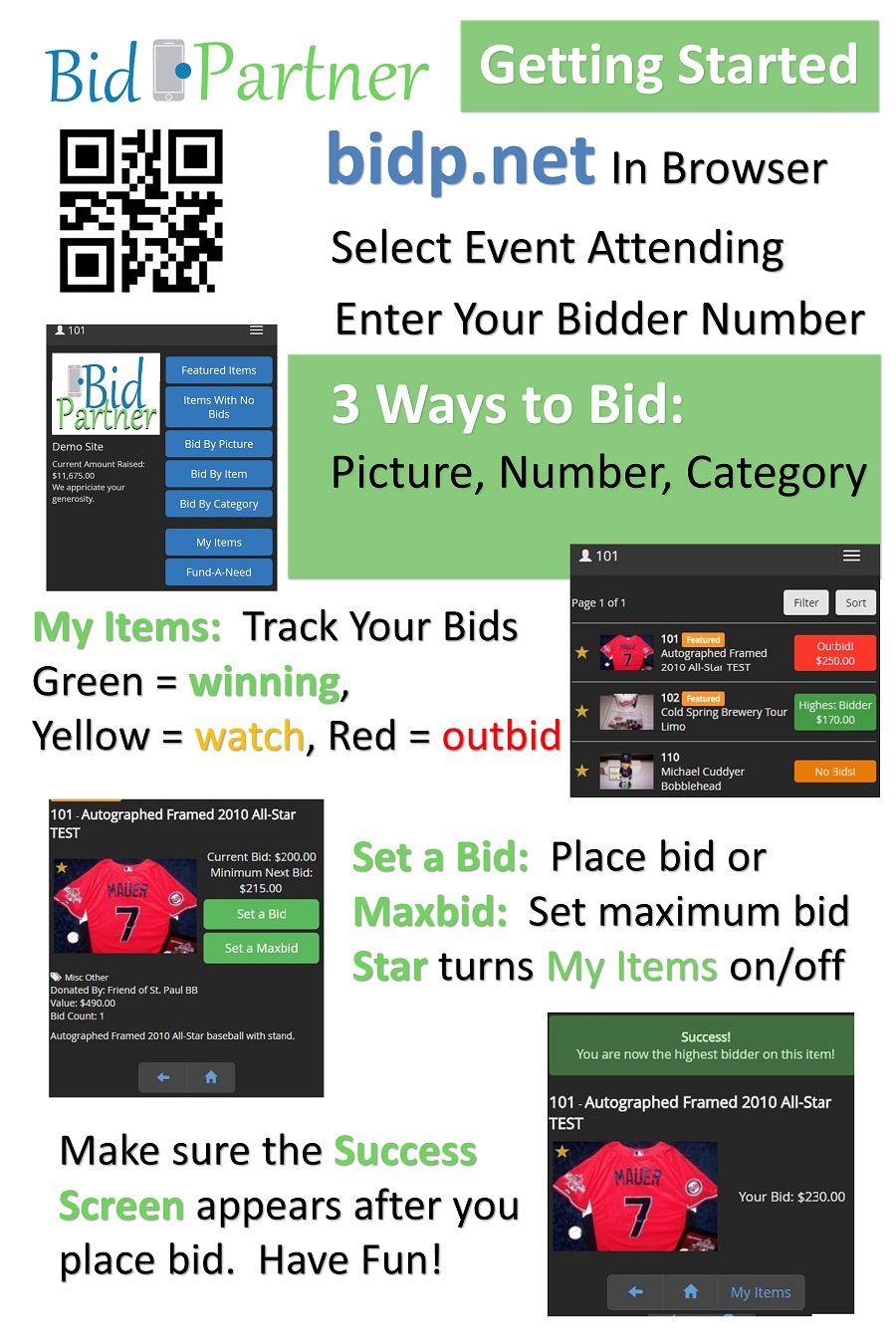
- Browse items by Picture, Item or Category and Place Bids!
- When the auction closes, you will see a pop-up showing you the items you have won!